In the order the work happens, from an empty account to next year’s edition.
Everything here describes what the product does today — where
something is not built, it says so.
01Accountyou and your organisation
02Conferencename, dates, address
03Websitepages, theme, footer
04Call for papersauthors submit
05Peer reviewreviewers score
06Decisionsaccept, revise, reject
07Programmesessions and rooms
08Registrationdelegates pay you
09Next editionthis year keeps its address
The order the work happens in. Nothing after the third step is compulsory.
01Getting started
From an empty account to a conference website nobody can see yet.
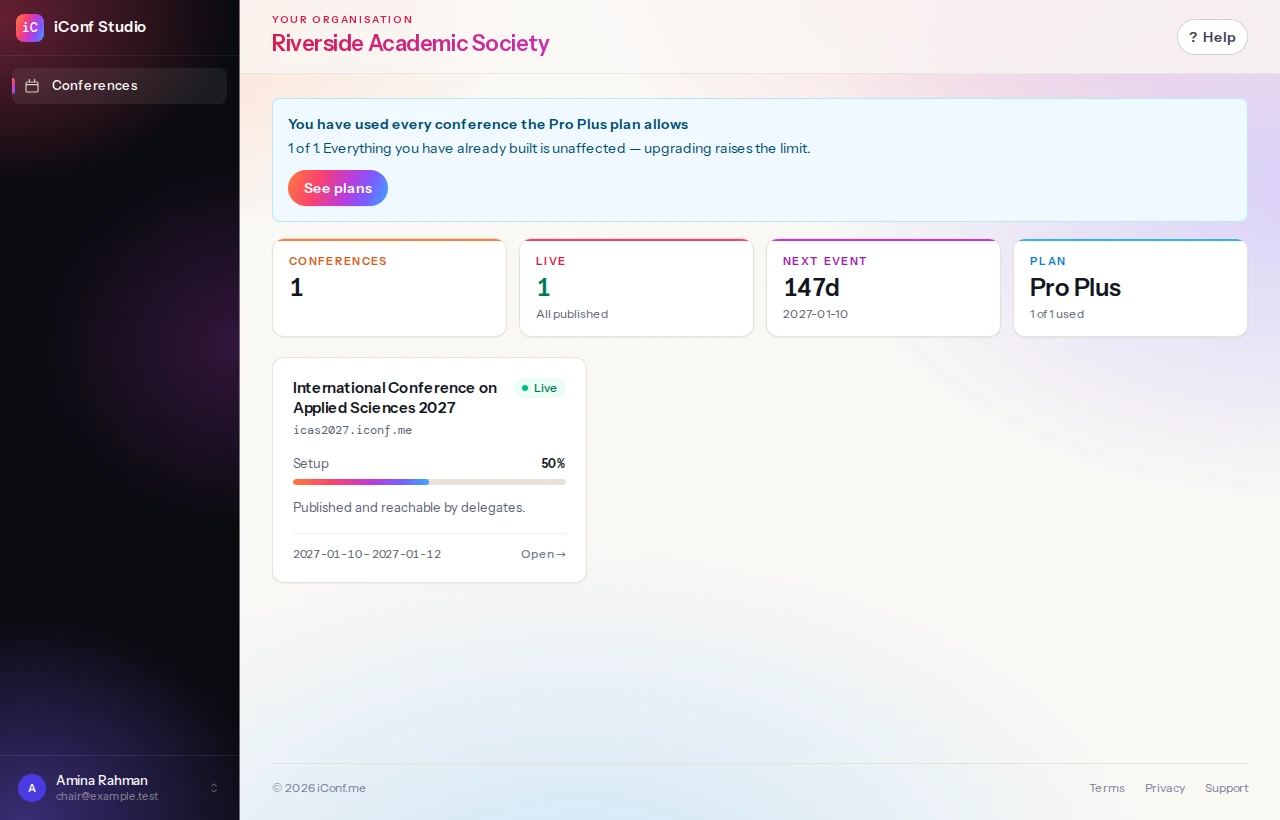
The dashboard. One card per conference, and what still needs doing on each.
app.iconf.me
The Studio
Where you and your committee work. Sign in with your own account. Never seen by anybody attending.
Organisers
Chairs
Editors
yours.iconf.me
Your website
Your pages, your programme, your fees. Your name on it, not ours.
Everybody
yours.iconf.me/submissions
The portal
Authors, reviewers and delegates sign in here — accounts that belong to your conference alone.
Authors
Reviewers
Delegates
An author never sees the Studio, and never needs an account with us.
Your account and your organisation
Signing up creates two things: you, and the organisation you are signing up on behalf of — a faculty, a society, a research centre. Conferences belong to the organisation rather than to you personally, which is what lets a colleague take one over when you move on.
Your plan sits on the organisation too, so every conference it runs draws on the same subscription and the same seat count.
Creating a conference
A conference needs a name, its dates, a timezone and a currency. The timezone is the one the programme is printed in, and the currency is the one delegates are charged in — that one is fixed once money has moved, so it is worth a moment.
You also choose what the website starts as. A blank outline gives you fourteen pages with the right structure and prompts to fill in; the complete example gives you the same fourteen filled in end to end, which you replace. The example is faster to judge and slower to finish, because everything in it has to be rewritten before you can publish.
Your address
Every conference gets its own subdomain — yourconference.iconf.me — and that is where the whole public site lives: pages, programme, submission portal, registration.
It can be changed freely before you publish and not afterwards. By then it is printed on a call for papers and pasted into other people’s emails, and a changed address turns all of that into a dead link.
Nothing is public until you say so
A conference is created as a draft. Visitors to the address see a holding page, your team sees everything, and nothing is indexed. Publishing is one deliberate action, and it can be undone.
Pages, blocks, the menu, the footer, and how it is styled.
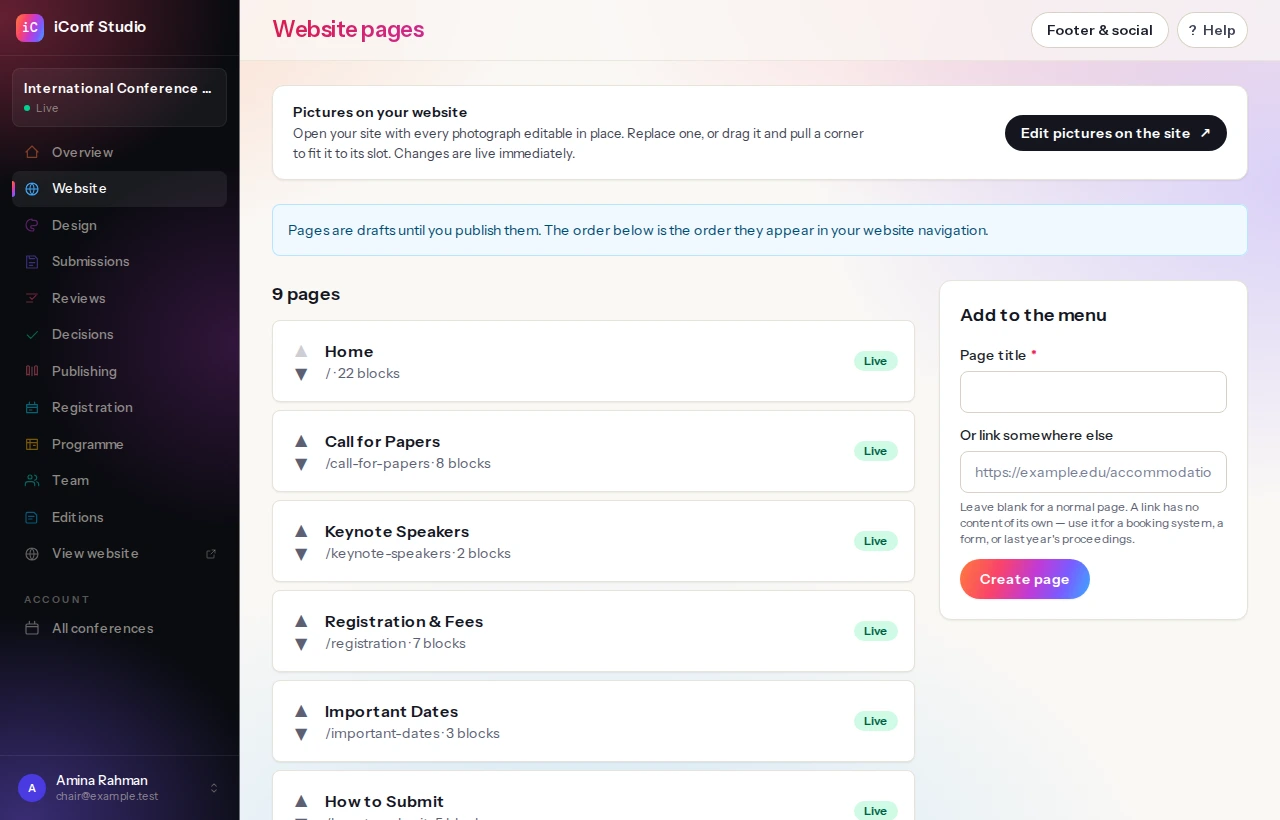
The pages of a site, in the order they appear in the menu.The same site, as a visitor sees it — here on one of the nine templates, with the example wording still in it.
yours.iconf.me/venue
Header
LOGO
Blocks
Heading
Rich text
Image
Rich text
Call to action
The header and footer are set once for the whole site. Everything between them is blocks, per page.
Pages and blocks
A page is a stack of blocks — text, images, a call to action, a countdown, a list of speakers, a table of fees. You add, reorder and hide blocks; the theme decides how each one looks, so a page cannot end up looking like it came from a different website.
Pages are drafts until published, and a page published with a future date is scheduled rather than live. Every save keeps a revision you can go back to.
An image without a description for screen readers stops a page from being published. That is deliberate: it is a thirty-second job at the time and an expensive retrofit across a finished site.
The menu
Any page can be in the menu or out of it, under its own name or a shorter label. Entries can be reordered, and one of them can point somewhere else entirely — the university’s accommodation booking, a form, last year’s proceedings. A link like that can open in a new tab or in the same one, and both are editable afterwards.
A few addresses belong to the software rather than to you: /submissions is the author portal, and there are one or two others. If you try to give a page one of those, it says so rather than quietly becoming unreachable.
The footer
The footer is up to four columns, each holding any blocks you like, each with an optional heading, and each able to be hidden without being dismantled. Underneath sits a closing line — usually an address — and, if you want them, the contact address and a row of social links.
Design
Pick a theme, then adjust the colours, the corner radius and the content width. Upload a logo and choose whether the header shows the logo, the conference name, or both — and how tall the logo stands, and how much space sits around it.
Colours you set are checked for contrast where text sits on them, because a brand colour that makes your own text unreadable is a decision nobody makes on purpose.
The switches sit on the conference's own screen, under 'What this conference runs'.
What happens for each combination of plan and switch
Switch on
Switch off
In your plan
It runs. In your menu, and on your website.
Gone. No menu entry, nothing for a delegate to find.
Not in your plan
Marked PRO. Shown, so you know it exists; opening it says what it costs.
Marked PRO. The switch cannot conjure what the plan does not include.
Two gates, both of which have to pass. The plan says what you may have; the switch says what this conference wants on.
Four switches
Paper submission and peer review, programme scheduling, abstracts and proceedings, and delegate registration can each be switched off for a conference that does not use them. Off means gone: no menu entry for your committee, and nothing for a delegate to find on the website.
Plenty of conferences take no papers, or charge nothing, or publish nothing. Switching those off is not hiding a feature — it is the difference between a product that fits your event and one that keeps asking about things you are not doing.
What your plan includes
A switch cannot turn on something your plan does not include, and your plan cannot force on something you have switched off. Items your plan does not reach still appear in the menu, marked, so you can see what the product does — opening one explains what it is and what it costs rather than pretending it does not exist.
The call for papers, what arrives, who reviews it, and what you decide.
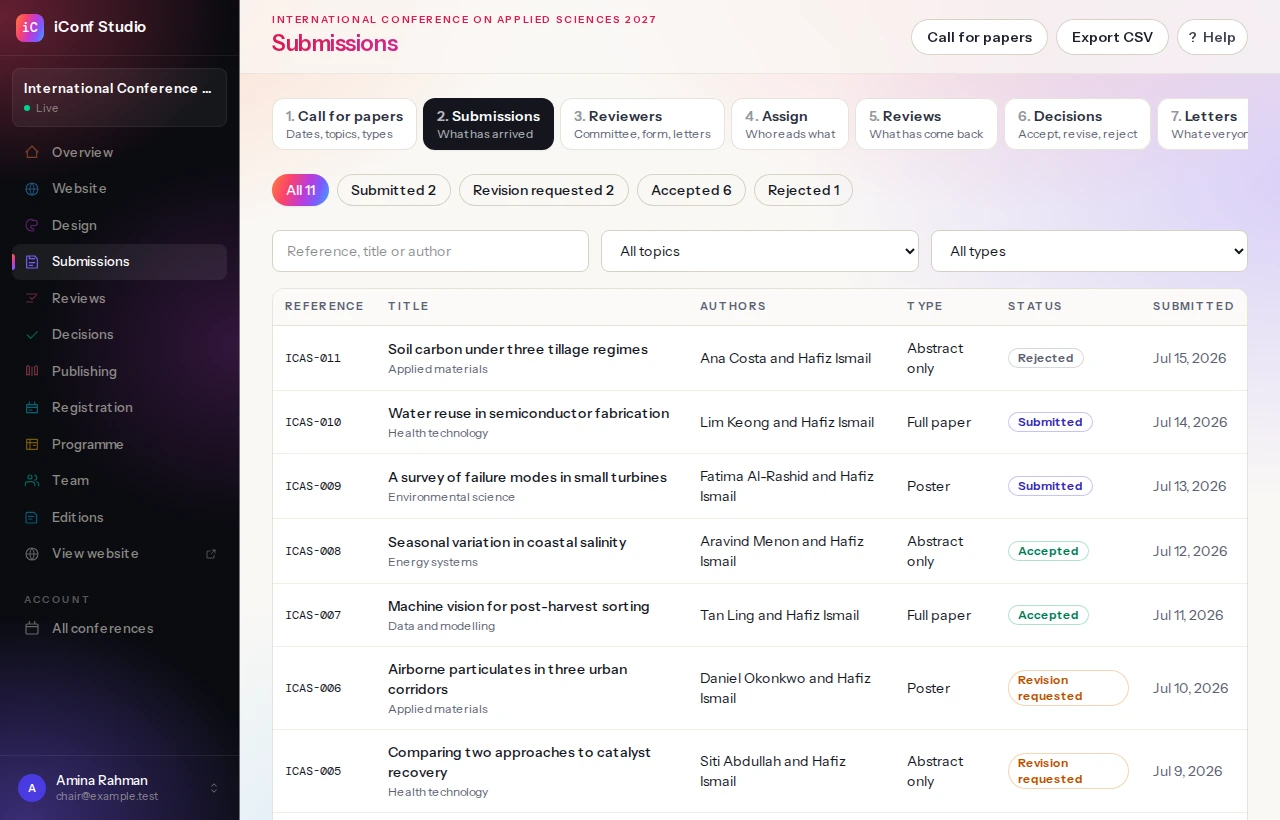
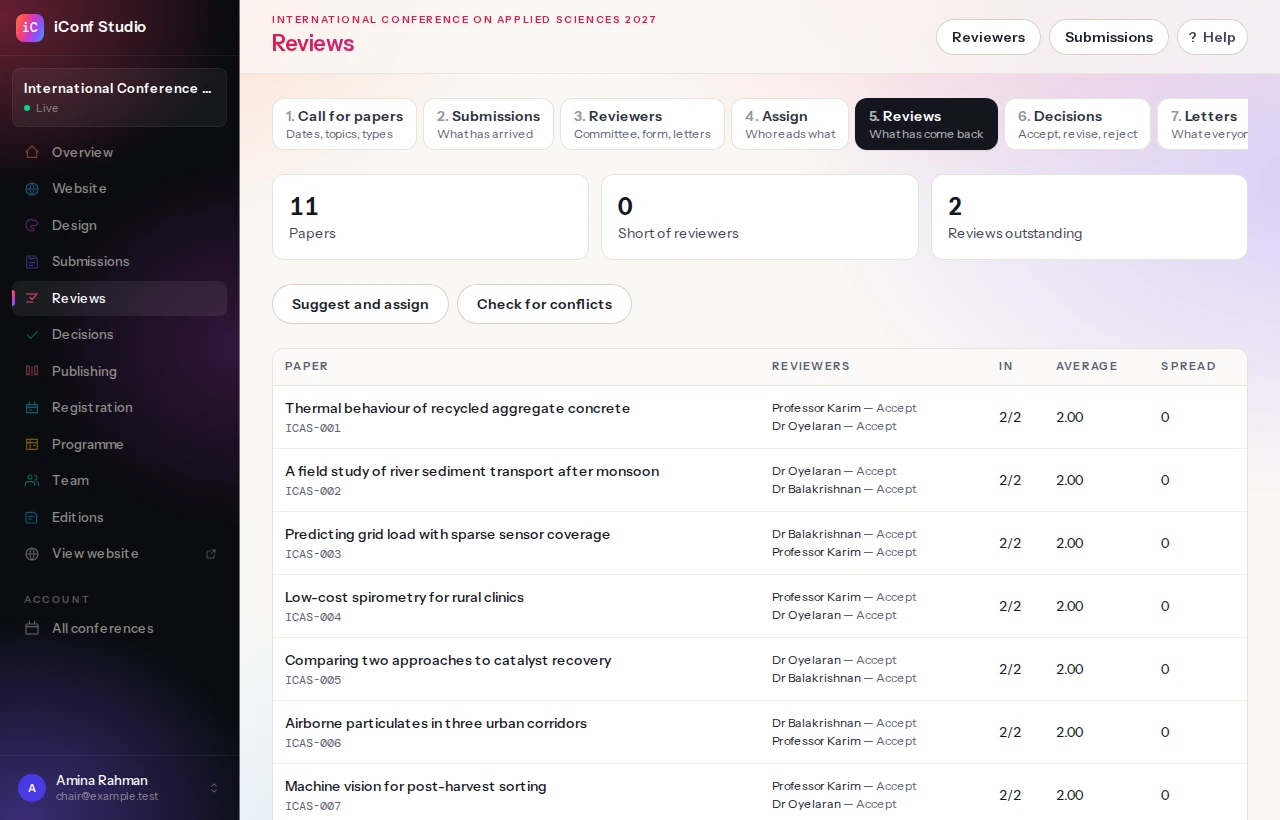
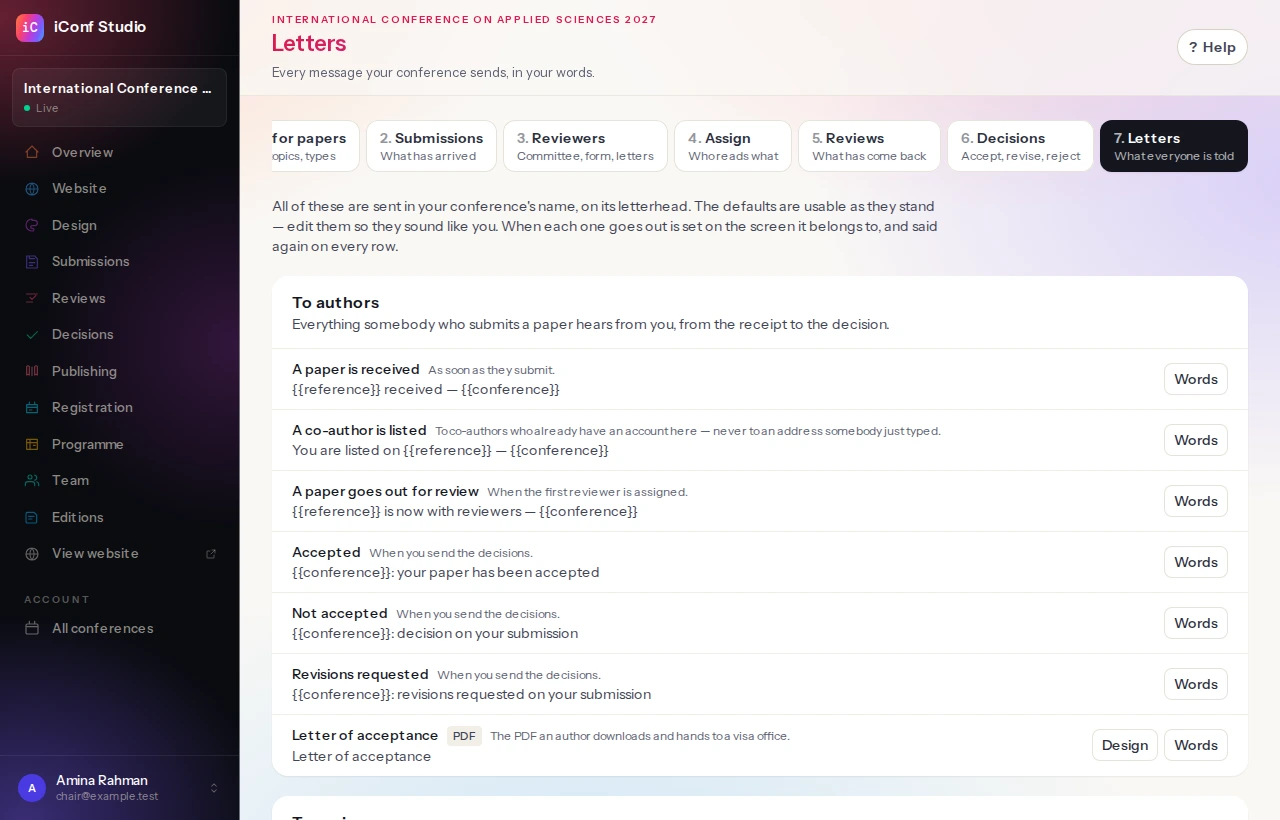
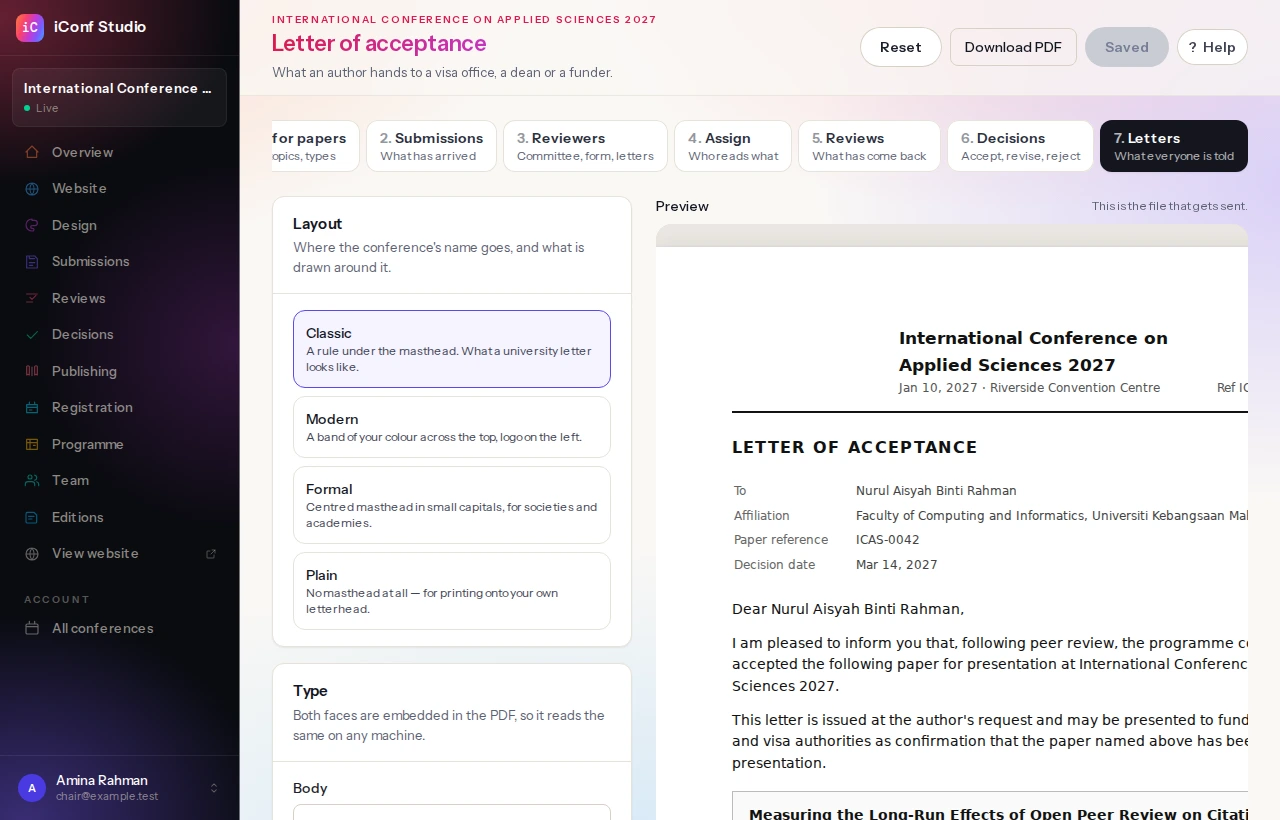
Everything that has arrived, with where each paper has got to.Who is reviewing what, and what has come back.Everything your conference says, grouped by who receives it.The letter of acceptance, designed. What you see is the file that gets sent.
Draftthe author is still writing; nobody else can see it
Submittedlocked for editing, visible to the committee
Under reviewassigned to reviewers, scored against your criteria
Decidedaccept, minor or major revision, or reject
Camera-readythe final file, and permission to publish it
In the volumeand in a session on the programme
↳Withdrawn — the author can pull out at any point, and the paper leaves the programme with it.
↳Rejected — the decision is sent with your note; nothing further is asked of them.
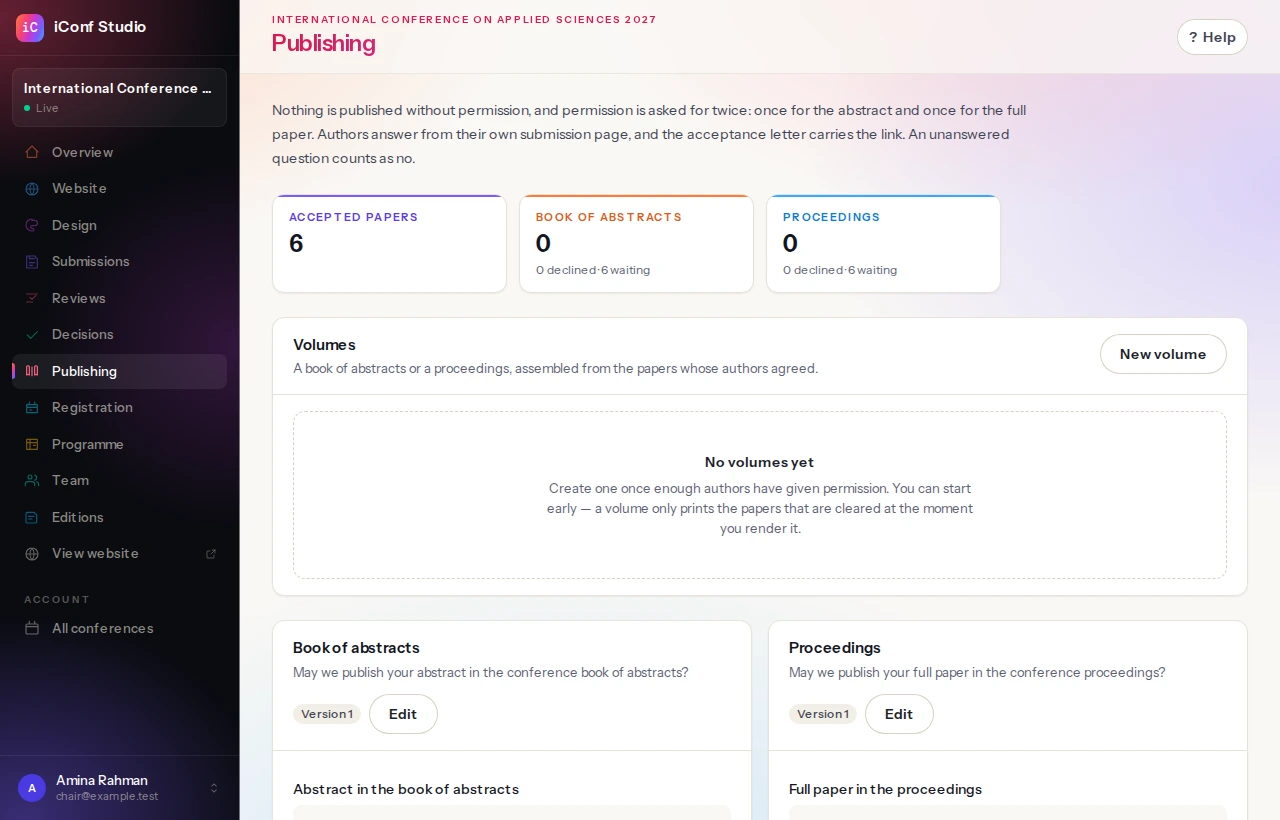
A paper only reaches a volume if its authors were asked for permission and said yes.
Setting up the call
You define the submission types (full paper, abstract, poster), the topics authors choose from, the word limits, and the dates the portal opens and closes. Authors create their own account on your website — not on ours — and their account belongs to your conference alone.
What authors do
An author writes a title, an abstract, keywords and a list of co-authors, picks topics, uploads a manuscript, and submits. Until they press submit it is a draft they can keep editing; afterwards they can withdraw but not quietly rewrite.
Reviewers
You invite reviewers by email and record what each of them knows about. They accept or decline from the invitation, and can declare a conflict of interest on any paper.
You build the review form yourself: the criteria, the scale each is scored on, and which comments are for the author and which are for the committee only.
Everything about reviewers lives on one screen — the committee, the form, the letters they are sent, and the signature that goes on their certificate.
Authors who also review
After somebody submits a paper, they are asked whether they would review two or three themselves. It is the best moment to ask — they have just asked your committee to read their work — and most committees are built from exactly these people.
Nobody joins by ticking a box. Everyone who offers appears on your Reviewers screen with their affiliation and subjects, and you add them or you do not. Nobody is ever sent a paper they wrote, or one written by a colleague at the same institution.
If you run a closed committee, turn the question off under the call for papers settings.
Chasing, without doing it yourself
Reviewing fails quietly. Papers go out, nothing comes back, and you discover three weeks before the programme is due that several reviewers never opened the message — by which time every option is a bad one.
So a reviewer is written to when a paper is assigned, asked again after a few days of silence, reminded before the deadline, and thanked when the review arrives. If they never answer at all, the paper is taken back so you can give it to somebody else while there is still time. You choose every one of those intervals, and leaving a box empty switches that letter off — some committees prefer to chase by hand, and that works too.
You can also write to one reviewer at any moment, whatever the clock says.
Certificates for reviewers
Peer review is unpaid and largely invisible, and the people doing it are assessed every year on evidence of exactly this kind of service. A thank-you email is gone the moment it is filed; a dated certificate on your letterhead goes into a promotion file.
One click per reviewer, on your conference’s letterhead, with your logo and a signature you upload. The wording is yours. It is offered only for reviews that were actually completed.
Everything your conference says, on one screen
Every message the conference sends — the receipt an author gets, the notice to co-authors, the five letters a reviewer receives, the decisions, the digest your committee reads — is on the Letters screen, grouped by who receives it. The defaults are usable as they are; edit them so they sound like you.
Each row says when that letter goes out. Editing one opens a small window with the wording, a list of placeholders you click to insert — {{author}}, {{reference}}, {{title}} — and a preview that fills them in with sample values so you can read it as the person receiving it will.
When each letter goes is still set beside the work it belongs to, because timing is part of running the process. What it says is here.
Designing the letter and the certificate
Two of those are printed rather than sent: the letter of acceptance an author hands to a visa office, and the certificate a reviewer files with a promotion case. Both have a Design button beside them.
Choose a layout, a typeface for the body and one for the headings, a size, your colour, the paper size and margins, whether there is a border, and whether the logo, the signature, the reference number and the footer are shown. A sheet of paper sits beside the controls showing the real document — the same file that gets sent, in the same fonts — and it redraws as you change things. There is a Download PDF button when you want to hold one.
If your society already has a letterhead its committee approved, upload it and the document is printed onto that instead.
Assigning the work
Papers can be assigned by hand, or matched automatically by topic against what reviewers said they know — which gets it roughly right and leaves you to fix the rest. Reviewers see only what they are assigned, minus anything they have a conflict on.
Decisions
Scores and comments come back into one screen per paper. You decide accept, minor revision, major revision or reject, write a note, and send. The author is emailed and can download a letter of acceptance whenever they need one afterwards — a visa office often asks months later.
Accepted authors are then asked for the camera-ready version.
Permission first, then a volume you can hand to a publisher.
Permission first, then the volume.
In
Accepted papers, in the order you choose
A signed licence for each one
Camera-ready PDFs, where authors supplied them
→
Out
A PDF: title page, contents with real page numbers, running heads
Author pages bound in at the right places
A manifest — authors, affiliations, ORCIDs, page ranges
The manifest is the file a publisher or a DOI registrar asks for. A paper with no answer to the licence is left out of both.
Asking permission
Before anything is published you set out the licence — the real terms, which you can edit until somebody has signed it — and every author answers for their own paper. Agreements and refusals are both recorded, with the name, the time and the version of the licence they saw.
Silence is never treated as consent. A paper nobody has answered for stays out of the volume.
Building a volume
A publication set is a book of abstracts or a proceedings volume: you choose which accepted papers are in it and in what order. It comes out as a PDF with a title page, a contents list with real page numbers, running heads and page numbers throughout.
Where authors have supplied camera-ready PDFs, those pages can be bound into the volume itself rather than left as separate files.
A manifest comes with it — every paper, its authors, their affiliations and ORCIDs, the pages it occupies — which is what a publisher or a DOI registrar asks for.
Rooms, sessions, papers in them, and the schedule delegates read.
The board. Papers come off the left and into a session.The same schedule, published.
Not yet scheduled
ICX-014 · Queueing at the deskICX-021 · A field studyICX-033 · Two approaches
Hall A
09:00 KeynoteOpening address
11:00 Session 13 papers
Room 2
09:00—
11:00 Session 24 papers
Room 3
09:00 Workshopby invitation
11:00 Session 3clash: Room 3 is taken
Accepted papers come off the left. Two sessions wanting the same room at the same time are refused, with the clash named.
Building the schedule
Add your rooms, then your sessions: a day, a start and end time, a room, a chair. Accepted papers are dragged into sessions from a list of everything not yet scheduled, so nothing gets forgotten and nothing gets scheduled twice.
Two sessions wanting the same room at the same time are refused, with the clash named.
Publishing it
The programme is published separately from the website, because it is wrong for most of the weeks it takes to build and a half-finished running order is something people plan travel around.
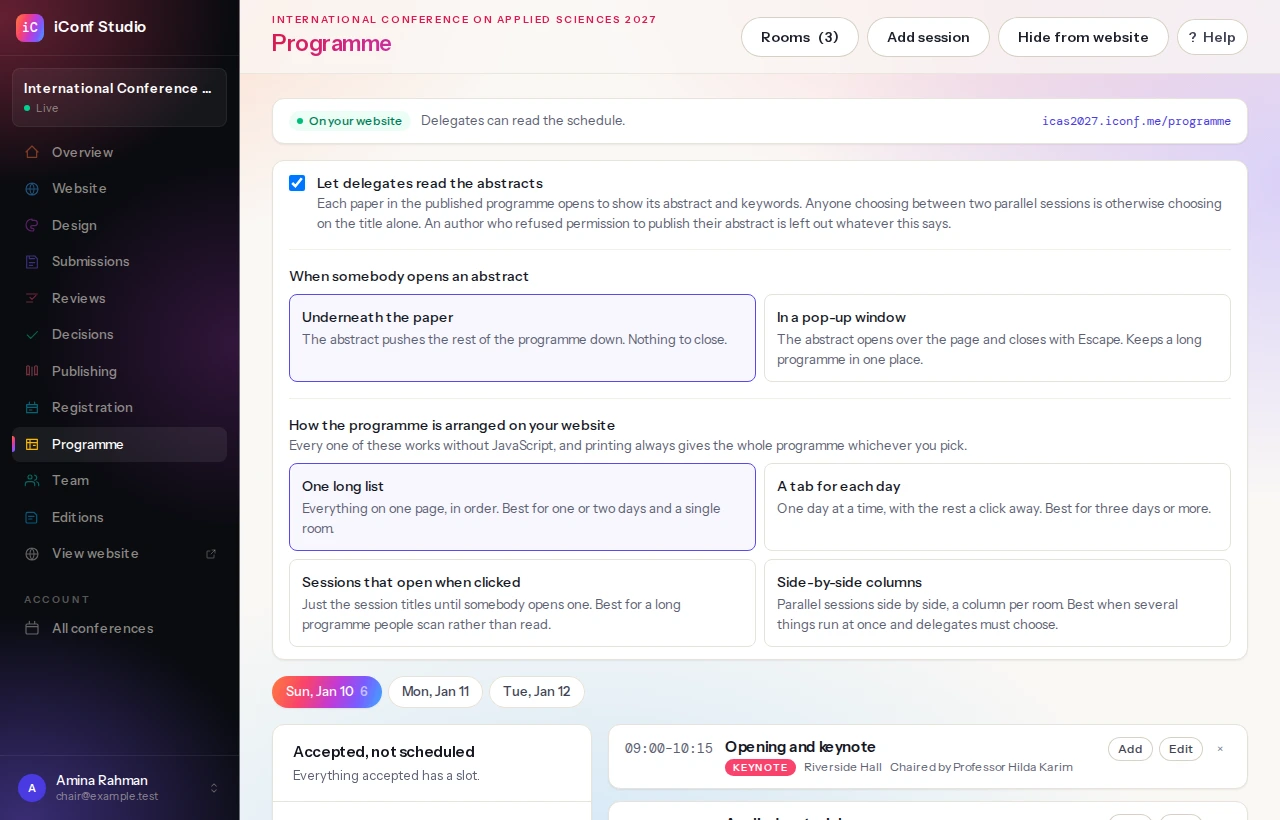
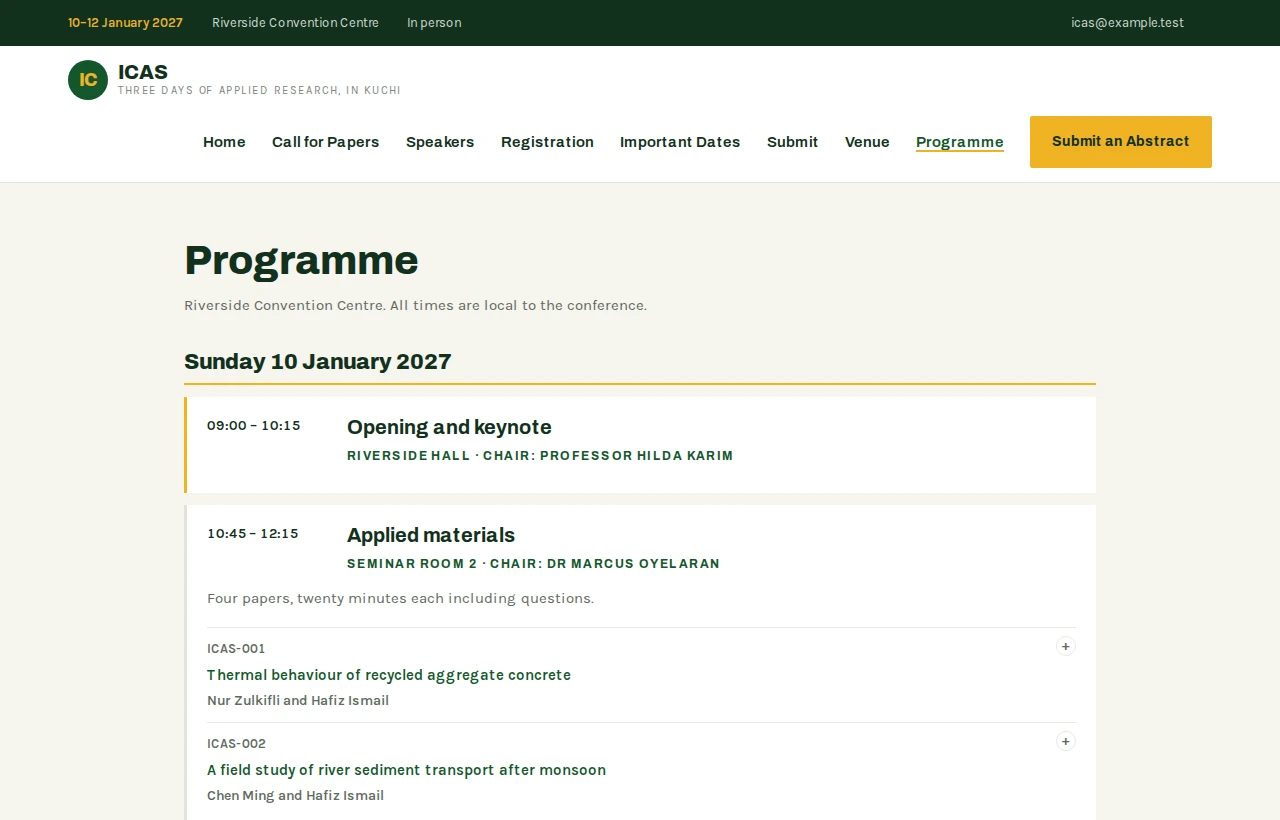
Once published it appears in your menu and in your sitemap. You can also let delegates open each paper to read its abstract and keywords, which is what somebody choosing between two parallel sessions actually needs. An author who refused permission to publish their abstract is left out of that whatever you choose.
Your bank accounttransfer, QR, or your own payment link
→
You mark it paidreceipt sent automatically
×
We are not in that line. The money never passes through us, we take no percentage of it,
and nothing here needs a merchant account of ours.
The only thing we hold is the record: who registered, at what rate, and whether you have been paid.
Rates and what they include
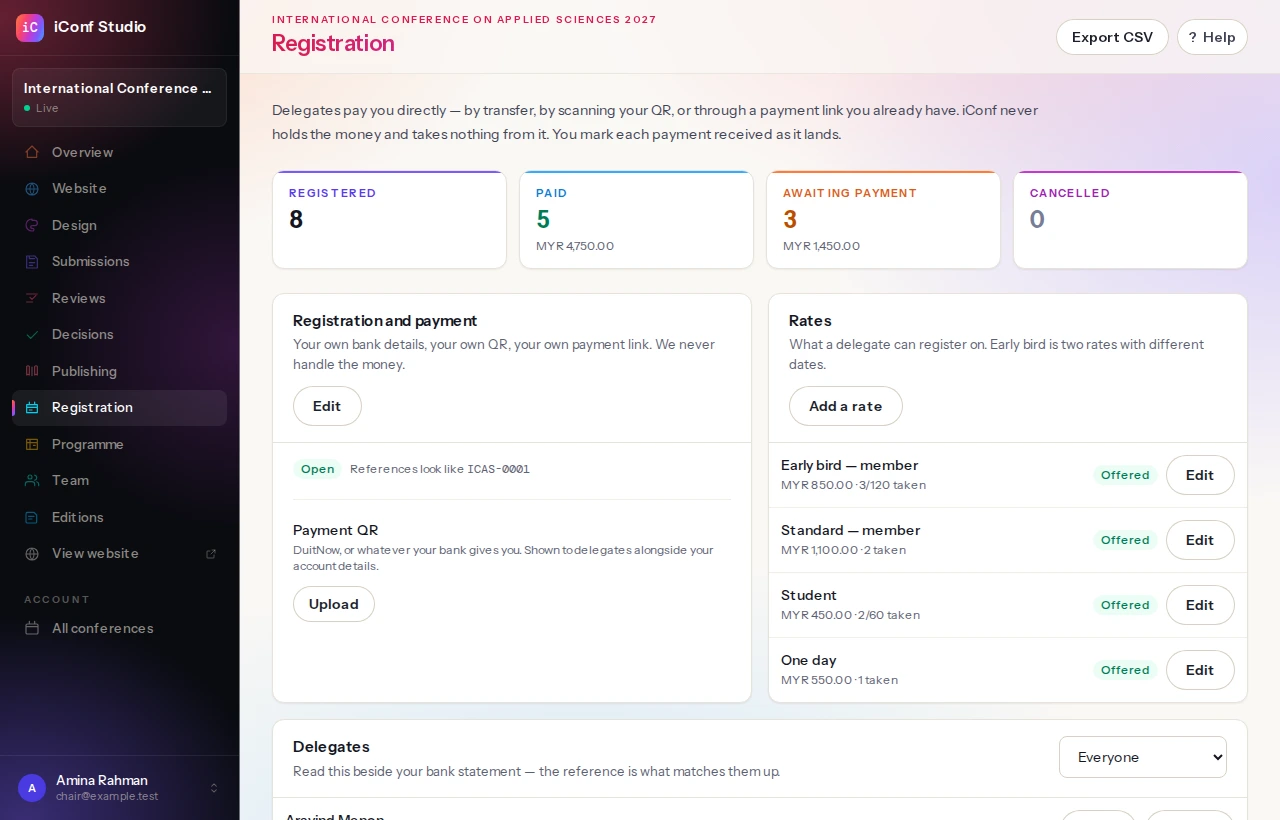
You set the registration types — early bird, student, member, one-day — each with its price, its dates and, if you want, a cap on places. A type that has sold out closes itself.
The price a delegate sees is frozen onto their registration when they register, so a rate change afterwards never rewrites what somebody already owes.
Being paid
Payment is between the delegate and you. Publish your bank details for a transfer, a QR code, or a payment link you already have — the money goes straight to your account, we never touch it, and we take nothing from it.
Delegates upload proof of payment; you mark a registration paid when it lands. They are emailed a confirmation when they register and a receipt when you mark it paid, and can download either afterwards.
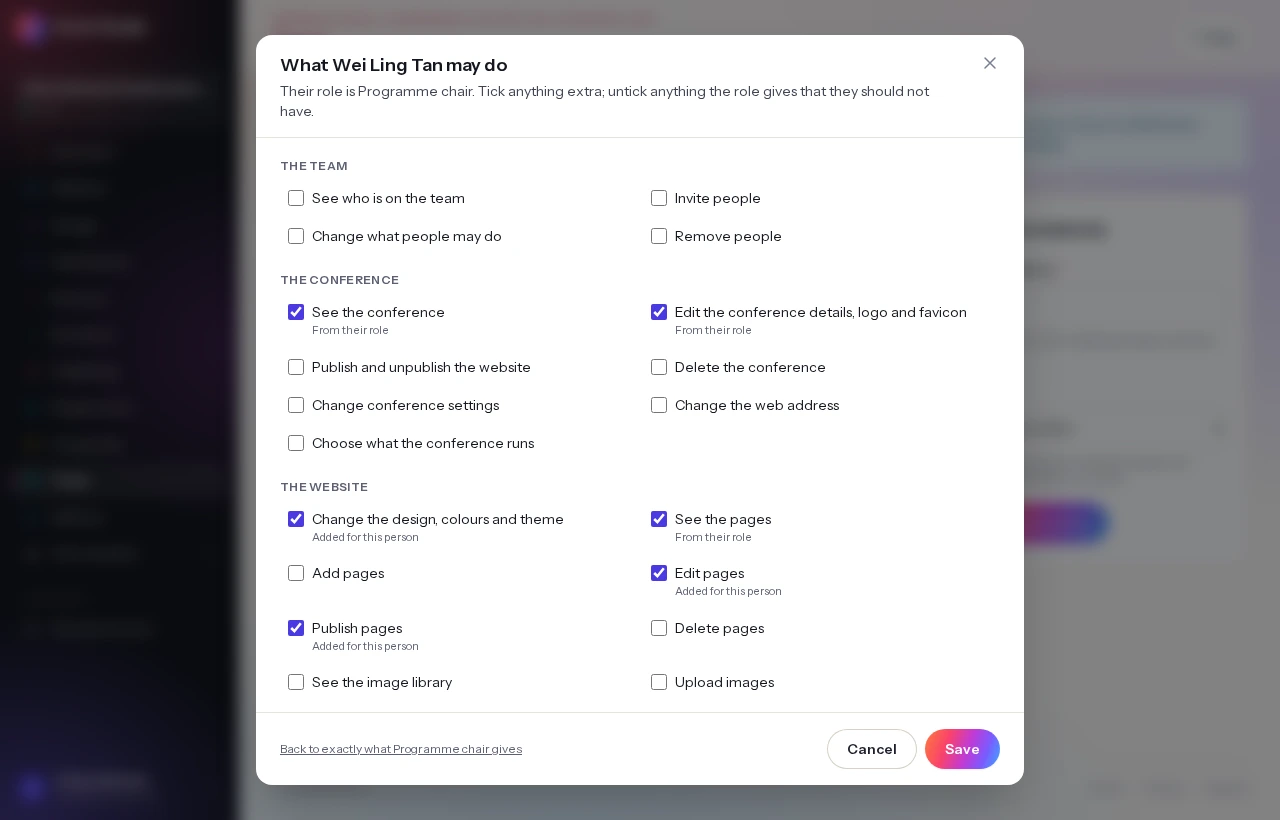
Everyone on the conference, and everyone who reaches it through your organisation.A role is the starting point. Tick anything extra — a programme chair who also builds the website is the ordinary case.
Inside your conference
Your plan applies
A colleague on a free account of their own gets everything your plan includes, because it is your event they are working on.
Anywhere else
Theirs does
The invitation buys them nothing on their own conference, and nothing on your other ones.
✓
What it costs you is a seat. Everybody with access to any of your conferences counts
against your plan’s people limit — pending invitations included.
The price of a bigger committee is the tier, not a charge per colleague.
Whose plan applies
The conference’s, not the person’s. Somebody you invite may already have their own free account and their own small conference on it; inside yours they get everything your plan includes, because you bought it to run your event and it is your event they are working on.
It works only in that direction. The invitation gives them nothing on their own conference, and nothing on your other ones.
What it costs is a seat. Everybody with access to any of your conferences counts against your plan’s people limit, pending invitations included, so the price of a bigger committee is the tier — not a charge per colleague.
Roles
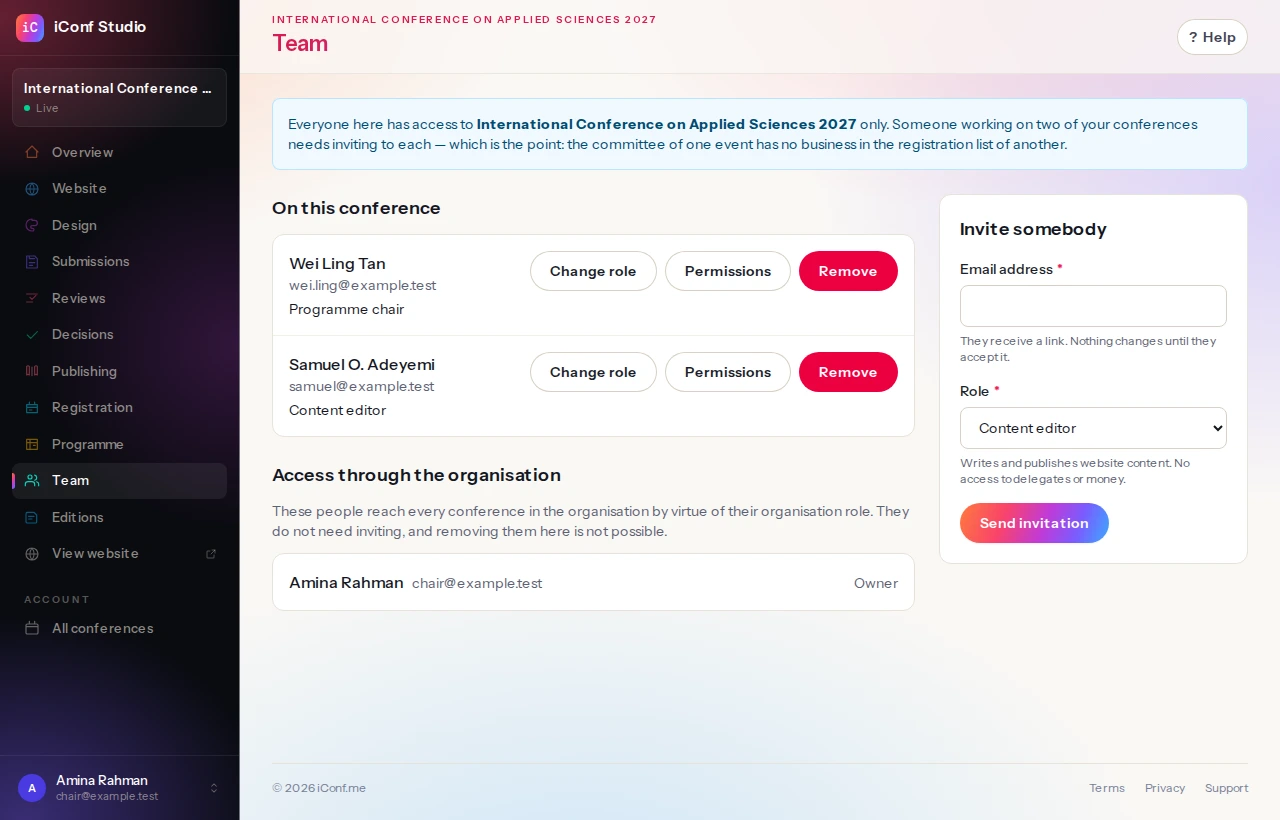
People are invited to one conference at a time, with a role: an editor who writes the website, a chair who runs the review, and so on. Membership of one conference is never a way into another, which matters when one organisation runs several.
Invitations are emailed and expire. Removing somebody removes their access and leaves their work alone.
The second edition, and what happens to the first.
2026
icast.iconf.me/2026
Complete and online. Its own menu, its own programme, its own theme. Nothing is deleted.
→
2027
icast.iconf.me
The live edition holds the plain address — the one printed on the call for papers.
The call for papers you circulated last year still leads somewhere, and the programme somebody cited still exists.
Starting the next edition
A conference is a series of one from the day it is created. When you start the next edition it takes over the address, and the previous year moves to a dated one — /2026 — where it stays online, complete, with its own menu, its own programme and its own theme.
That is the point: the call for papers you circulated last year still leads somewhere, and the programme somebody cited still exists.
What is held, who can see it, and how to get it out.
Yours and theirs
You can export everything held about you, and ask for your account to be erased. Authors, reviewers and delegates can do the same on the conference’s own website, without going through you.
Data belonging to one conference is not visible to another, and platform staff acting on an account leave an audit trail that says so.